Your public Ecologi profile showcases the impact you’ve funded automatically - trees funded, carbon avoided and removed, and habitat restored - with a transparent history of every contribution. With a Climate Action Workforce plan, your workforce’s collective climate action appears too.
To help share this, our Sharing toolkit (previously the Business Toolkit) gives you high-quality project imagery, ready-to-use social assets, official Ecologi logos and embeddable impact widgets to showcase your climate action. Find it in the left-hand menu, with two tabs: Widgets and Asset library.
Who can access: businesses on a Climate Action Workforce plan, and free pay-as-you-go business accounts. Embeddable widgets are available in the new app; some widget types require a Climate Action Workforce plan.
Brand and media assets
Open Sharing toolkit → Asset library and select Go to asset library to open our media library, where you can download logos, banners and marketing materials to showcase your climate action.
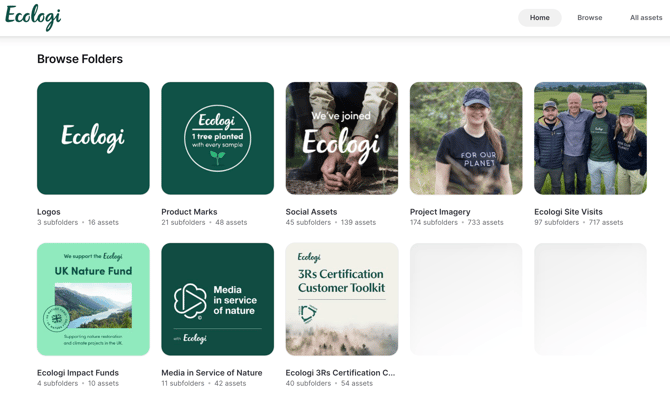
Assets are organised into folders you can search or browse, including Logos, Product Marks, Social Assets, Project Imagery, Ecologi Site Visits, Impact Funds, Media in Service of Nature, and the 3Rs Certification toolkit. 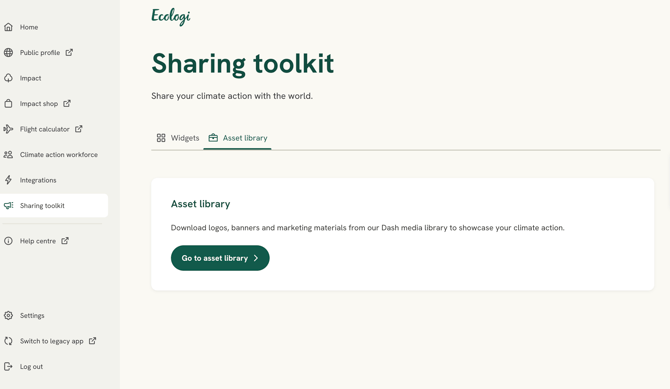
Embeddable widgets
The widget builder embeds live impact data into your website or email footer. There are two types:
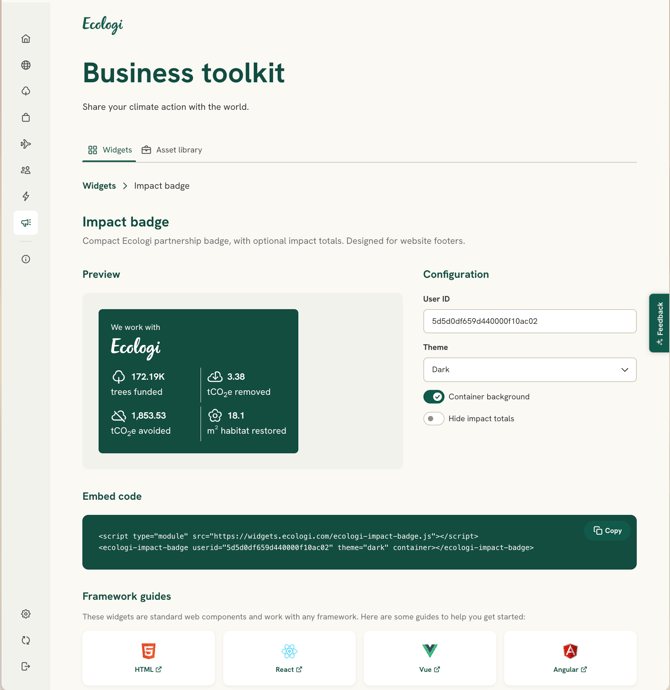
- Impact totaliser widgets (all business accounts): an Impact Banner showing your total trees and/or carbon, and a compact Impact Badge for footers or sidebars.
- Climate Action Workforce widgets (CAW subscribers): a Subscription Banner and a compact Subscription Badge highlighting your workforce climate action.
- Go to Sharing toolkit → Widgets.
- Select the widget you’d like to use.
- Use the live preview to choose your display options.
- Select Copy snippet, then paste the code into your website, email footer or CMS.
Don’t have access yet? if your account doesn’t meet the criteria for a widget (for example, a Climate Action Workforce widget), the app guides you through unlocking it.