
Your payment details are managed securely through Stripe, our payments provider. You can update them at any time from your Ecologi account.
Updating your card
- Log in to your Ecologi account.
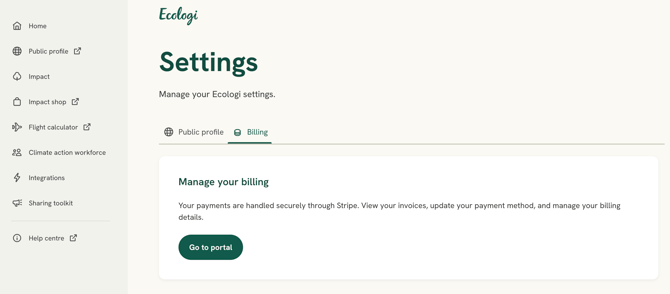
- In the left-hand menu, select Settings.
- Open the Billing tab, then select Go to portal. This opens your secure Stripe billing portal
- Under Payment method, you can:
- select Add payment method to add a new card;
- set a card as Default, so it is used for your future payments;
- remove a card using the “×” (for example, one that has expired).
.jpg?width=670&height=256&name=image%20(15).jpg)
Expired or failed cards: if a card expires or a payment fails, we’ll email you a link that takes you straight to this portal, so you can update your details in a few clicks. Expired cards are clearly flagged in your list of payment methods.
Your security: Ecologi never sees or stores your full card details - they are held securely by Stripe. If you’re unable to open the billing portal, contact us via the chatbot on our website.