
1) Locate your footprint data - Once your production has been approved by Albert's auditors, first locate your Footprint Data on your Albert profile.

Step 2: Sign up for your Ecologi Albert profile
Click here to sign up for an Albert Ecologi profile.
Important: Please sign up via this link rather than Ecologi's other business profiles, as this will link your production company to the Albert 'Parent' profile.
Step 3: Fund your creative offsets
Once you've signed up and logged in, you'll see a welcome screen with clear instructions.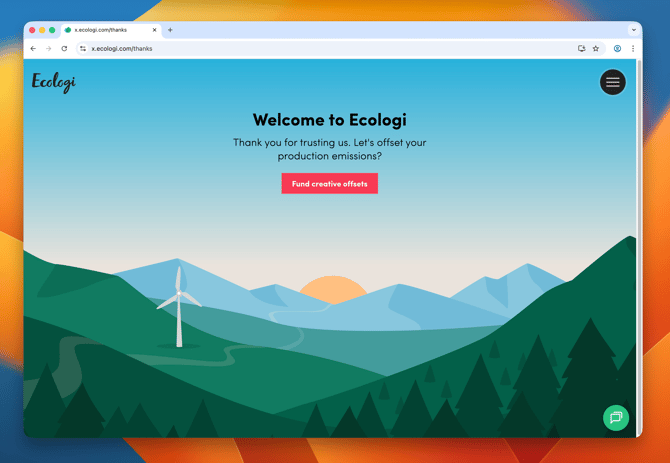
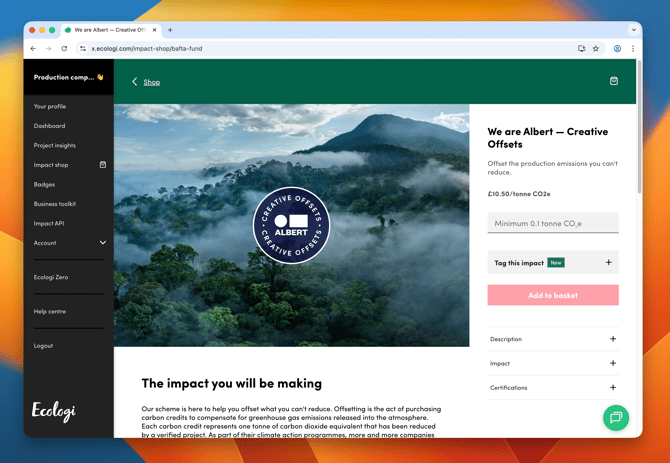
Click the "Fund creative offsets" button, which will take you to the BAFTA fund in Ecologi's Impact Shop.
From there, simply:
- Select the amount of CO2e (in tonnes) you'd like to offset
- Add it to your basket
- Complete your purchase
Payment options:
- Card payment: Your carbon avoidance credits will be added to your profile immediately when payment is complete, and you'll receive a receipt via email
- Invoice payment: An invoice will be issued to the company name and address associated with the (please check these prior to finalising your purchase), the purchased credits will be added to your profile when the resultant payment is received.
Step 4: Upload proof of payment
Once your credits have been added to your Ecologi profile, upload proof of payment to your Albert carbon action plan.
You can upload:
- Receipt (if you paid by card) - sent to your email address in PDF form
- Invoice (if you paid by invoice) - a copy of the invoice provided
- Impact certificate - shows all of your emissions reductions to date. Learn how to generate an impact certificate
Need help?
If you encounter any difficulties with this process or require any further support, please reach out to the team at albertoffsets@ecologi.com and we'll be happy to help!